Button (On or Off)
Introduction
A button is one of the simplest input devices you can use with a microcontroller. Imagine the power button on your computer or the play button on a music player—when you press it, something happens. With an Arduino, you can program it to detect when a button is pressed and then respond however you want!
When you connect a button to your Arduino, it completes a circuit when pressed, sending a signal that your Arduino can detect. This makes buttons perfect for user input, like starting a motor, turning on a light, or navigating a menu on a screen.
Circuit Assembly
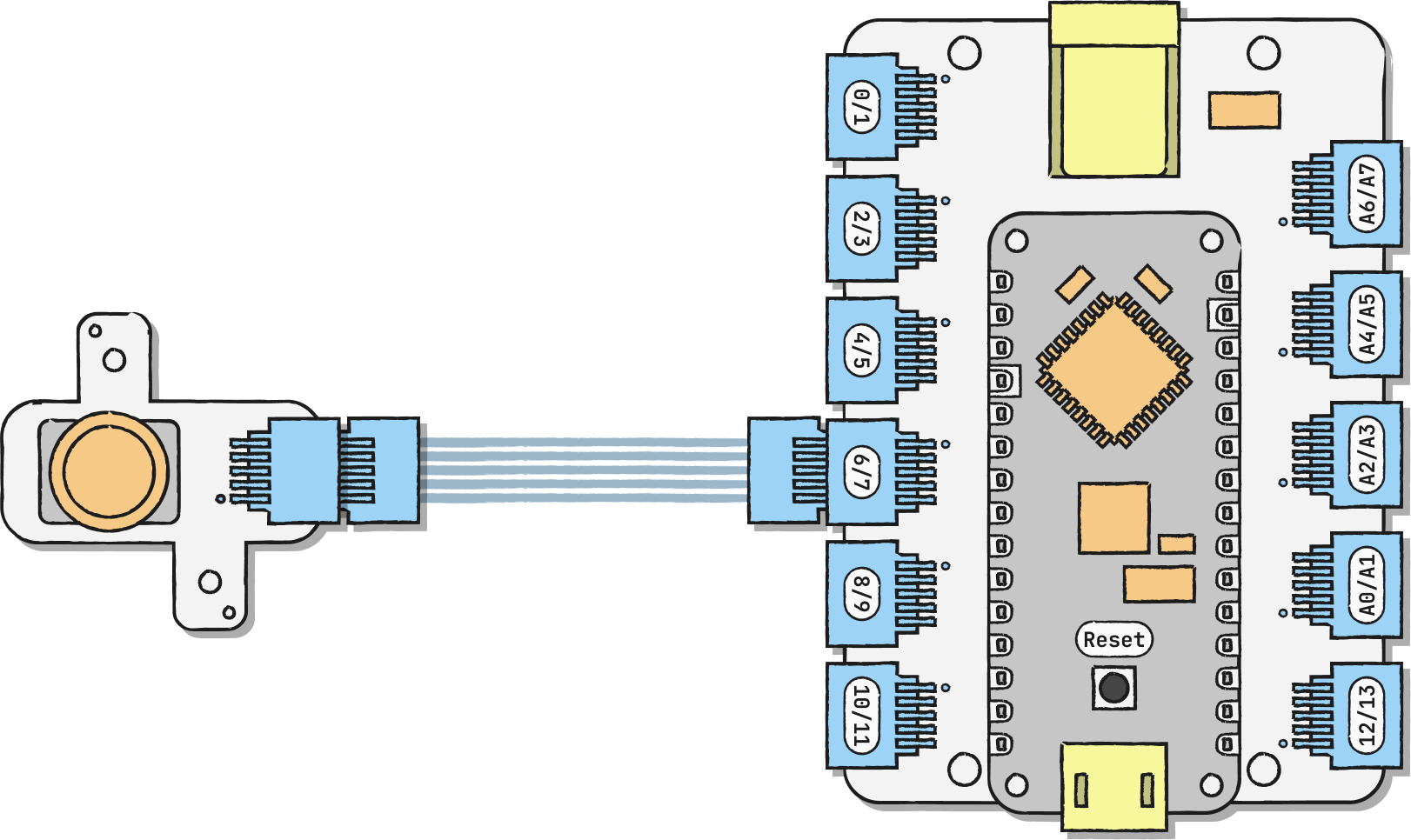
Connect the button to any digital pin. In our example, we're using D7/D6.
The pin that you connect your button to corresponds to a particular value in your code. We're using D7/D6, which corresponds to 7. You can remix yours to look like this:
• D11/D10 → Button_pin = 11;
• D9/D8 → Button_pin = 9;
• D7/D6 → Button_pin = 7;
• D5/D4 → Button_pin = 5;
• D3/D2 → Button_pin = 3;
• D1/D0 → Button_pin = 1;